Procurement Support for Supplier Review
Use this page when your procurement, administration or finance team needs to decide the right next step with Kamog Artistry (U) Ltd. It helps your team check the basic supplier details, review the kind of branding, print, signage and event work we handle, and choose whether the next action should be a quotation, proposal, RFQ upload, vendor setup or document request.
Start here before sending a long request thread. If your team already has quantities, sizes and materials, request a quotation. If there is a brief, BOQ, RFQ or TOR, send it for proposal review. If the checklist asks for tax, bank or KYC records, use the Compliance page so each controlled record is handled through the right channel.
For controlled supplier records, use the Compliance page. For the main company overview, return to the Corporate Profile page.
Start with the supplier review check
Public supplier details
Use this before asking for documents
This page helps your team confirm that the supplier being reviewed is Kamog Artistry (U) Ltd, then move to the right next action. Check the public details, review the work categories and proof links, then decide whether you need a quotation, proposal, profile copy, vendor onboarding or a controlled record from the Compliance page.
Choose the right procurement action
Choose the option that matches the stage your team has reached. A price request, a formal proposal, a tender upload, a portal setup and a document request each need different details.
Need pricing?
Use this when quantities, sizes, materials, finishing and delivery expectations are already clear.
Request quotation →Need a formal proposal?
Use this when your team needs a written technical, financial or combined response tied to a brief, BOQ, RFQ or TOR.
Request proposal →Have procurement files?
Upload RFQs, BOQs, TORs, artwork files, specifications and deadline-driven tender documents.
Upload requirements →Setting up a supplier?
Use this for supplier portals, vendor forms, onboarding instructions and payment-system setup steps.
Start onboarding →Corporate profile routes that support procurement
These pages help your team review Kamog Artistry before moving into pricing, proposal preparation, supplier setup or document verification.
Corporate Profile Page
Use the main company page when your team still needs the wider company overview, execution areas and selected proof of work.
Open page →Capability Statement
Short capability summary for teams checking whether Kamog Artistry can handle the required scope.
Review capability →Company Profile Download
Use this when your team needs the latest public profile copy for internal review or supplier files.
Get profile copy →Institutional Supplier Profile
For institutions reviewing Kamog Artistry as a supplier for branding, print, signage and event work.
Review supplier profile →What procurement teams should send
A clear request helps us respond with the right document, quotation or proposal instead of asking for the same information again.
For quotation requests
Send the item, quantity, size, material, finish, artwork status, delivery location and deadline. Photos or reference images help where the specification is visual.
For proposal requests
Send the brief, BOQ, RFQ, TOR, expected deliverables, submission format, site details and evaluation deadline where available.
For supplier review
Send the supplier category, checklist, vendor form, portal invite or internal note explaining what your organization needs to clear.
Capability first. Controlled documents next.
Use this procurement-support page to check whether Kamog Artistry fits the supplier category and project scope. Use the Compliance page only when your checklist specifically asks for certificate of incorporation, tax clearance, trading licence, bank reference, KYC support or another controlled company record.
Proof of work for procurement review
Use these selected proof links to review finished work, scope and delivery context before requesting restricted records or onboarding documents.
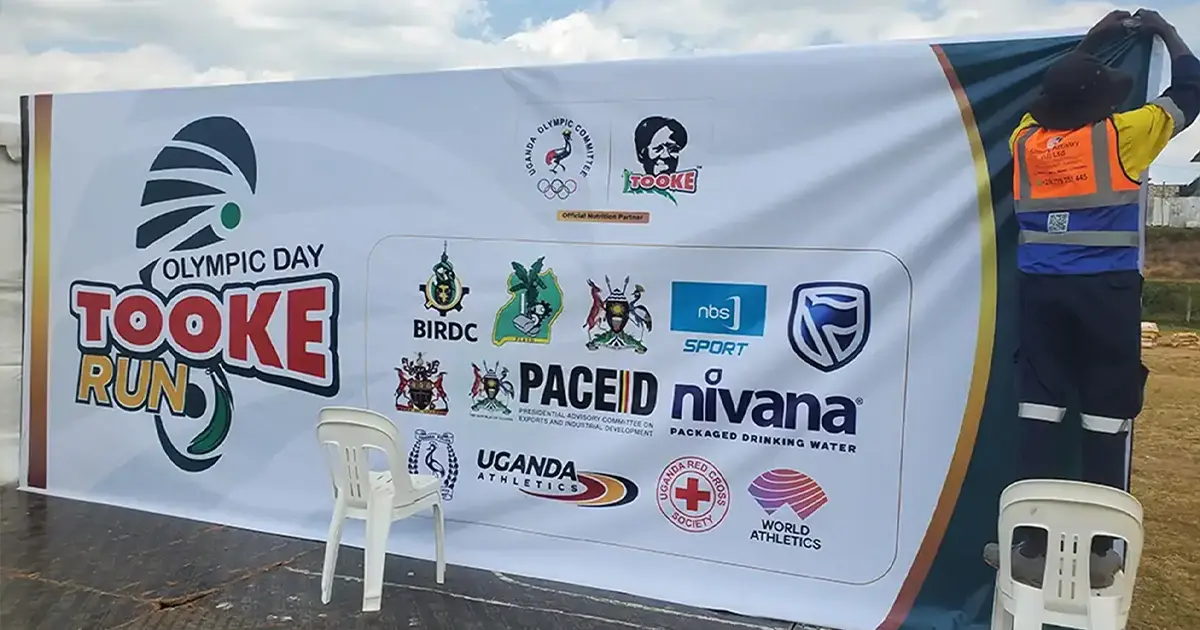
Tooke Run 2026 — Event Branding
Large-format event rollout covering PVC banners, media walls, selfie frames and field branding.
Open case study →
RBM Partnership — Conference Branding
Conference branding covering scarves, pull-ups, teardrops and large-format print production.
Open case study →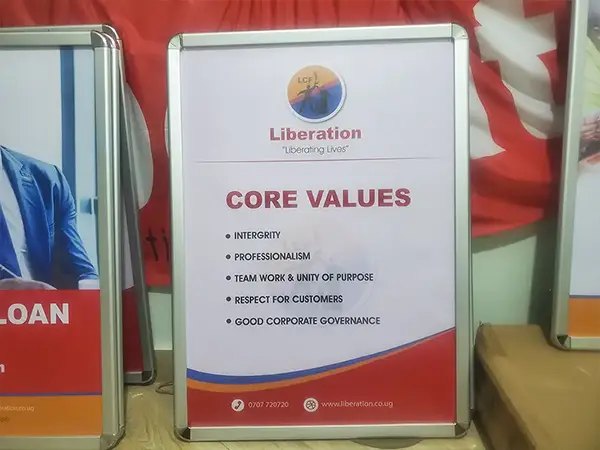
Liberation Community Finance — Snapper Frames & Teardrops
Institutional display supply covering snapper frames, artwork fitting and 4.5m teardrop banners.
Open case study →Procurement support FAQs
When should procurement teams use this page?
Use it when your team needs to check Kamog Artistry before taking the next procurement step: pricing, proposal request, RFQ upload, vendor setup or a controlled document request.
Should restricted company documents be requested here?
No. This page helps with supplier review and routing. Tax, licence, bank, incorporation and KYC records should be requested through the Compliance page or the official document request route.
Can Kamog Artistry respond to an RFQ, BOQ or TOR?
Yes. Upload the file with quantities, sizes, specifications, artwork files, delivery location and deadline so the response is aligned to the actual scope.
Where should we go after supplier review?
Use Request Quotation for clear pricing needs, Request for Proposal for formal technical or financial responses, Tender/RFQ Upload for procurement files, or the Compliance page if your checklist asks for controlled company records.